> ## Documentation Index
> Fetch the complete documentation index at: https://docs.celo.org/llms.txt
> Use this file to discover all available pages before exploring further.
# Verify Smart Contract using CeloScan
Verifying a smart contract allows developers to review your code from within the CeloScan Block Explorer
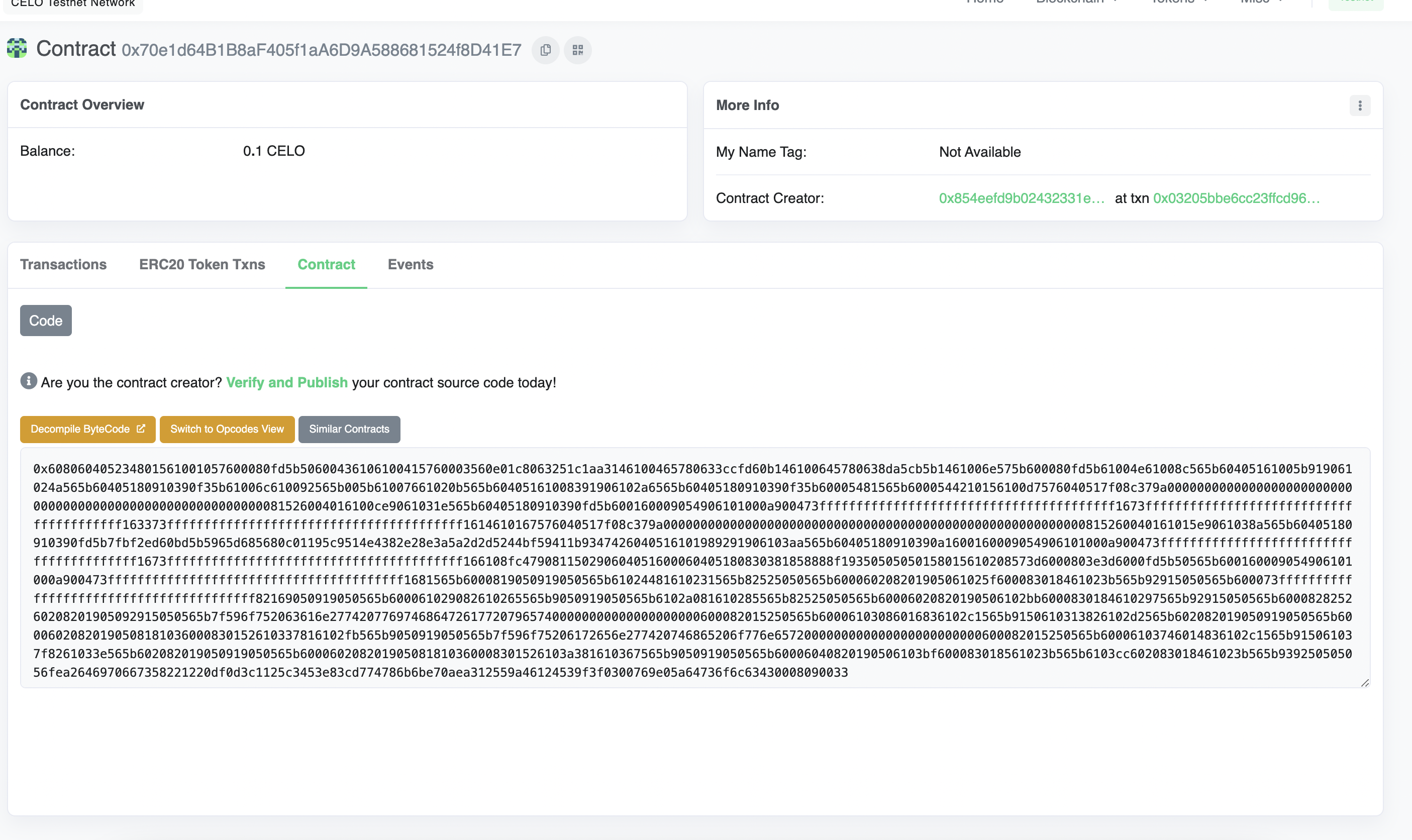
* Navigate to the **Contract** tab at the Explorer page for your contract's address
* Click **Verify & Publish** to enter the smart contract verification page
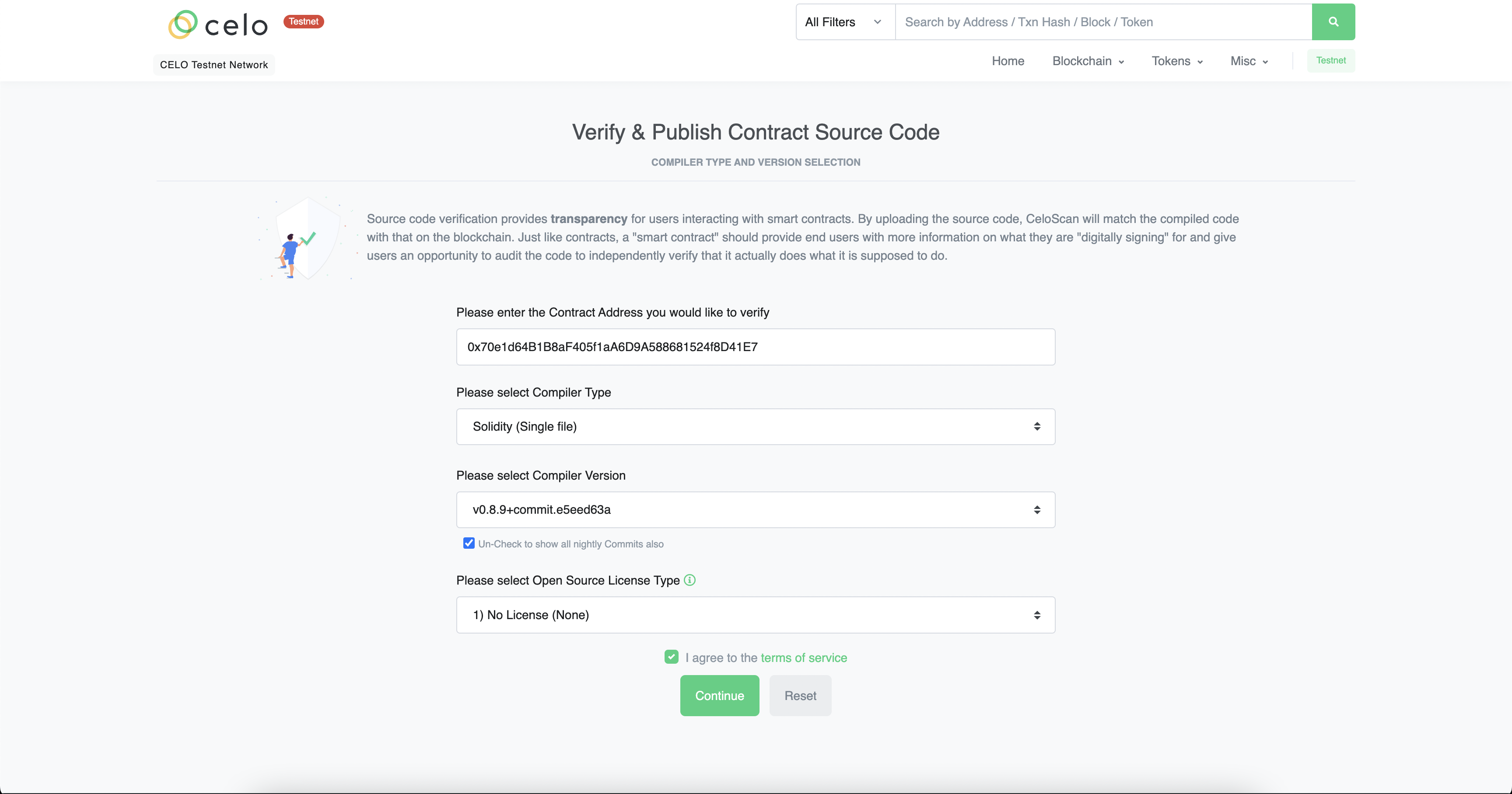
 * Select the **Compile** type, **version** and **license**.
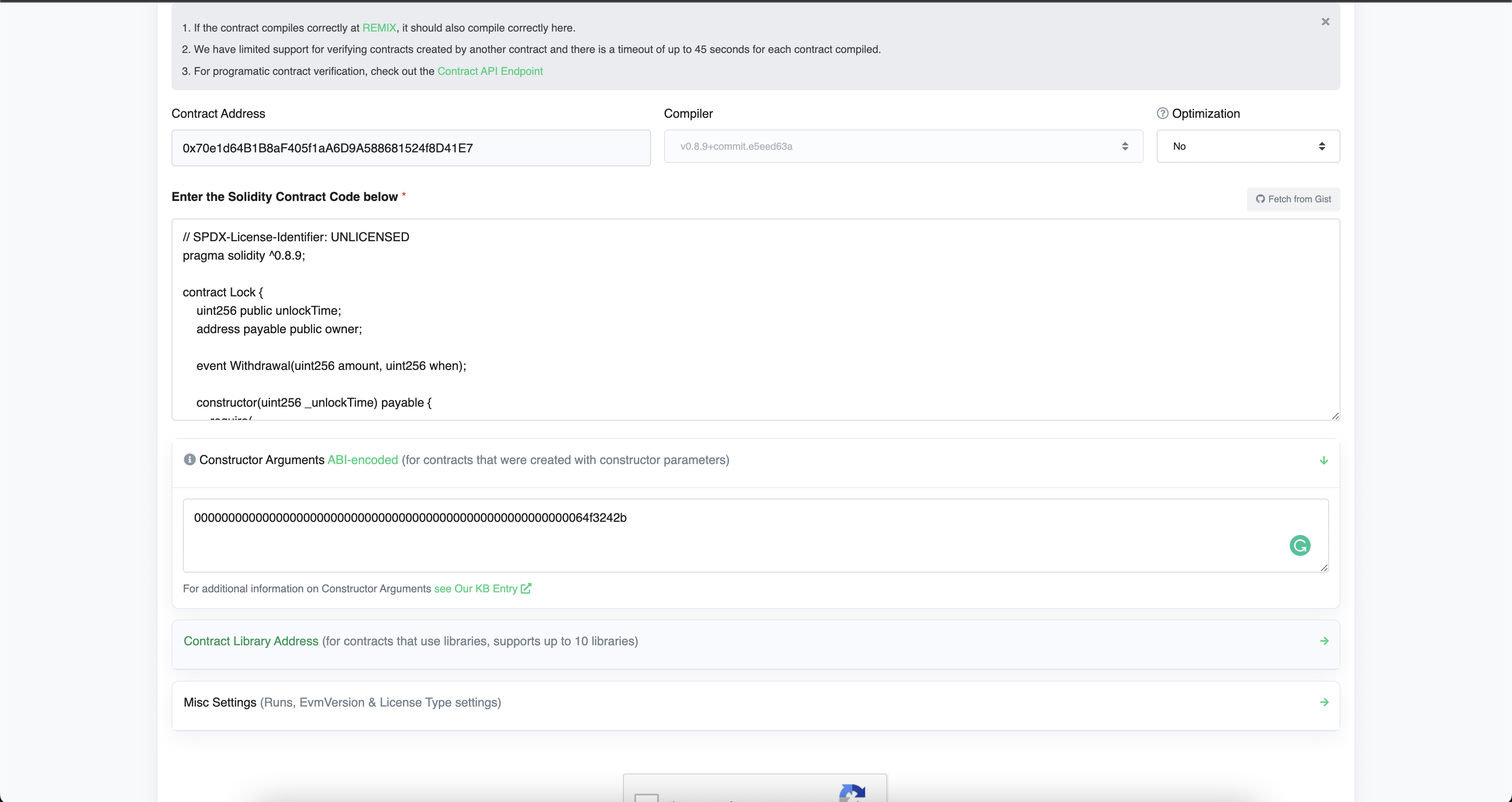
 * Enter the Solidity Code of the contract along with the constructor arguments.
* Complete Captcha and click **Verify and Publish**.
* Enter the Solidity Code of the contract along with the constructor arguments.
* Complete Captcha and click **Verify and Publish**.
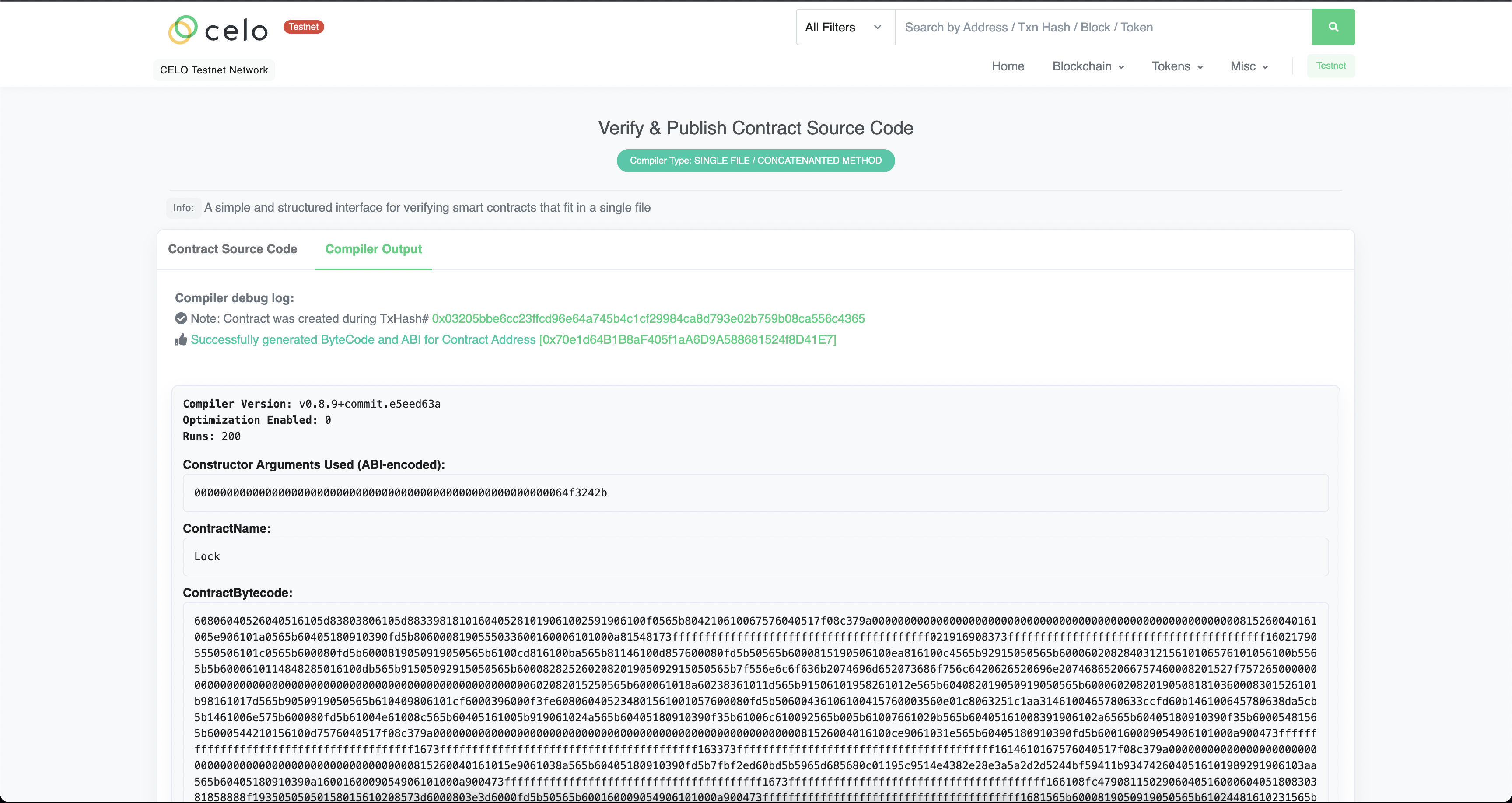
 * If done correctly, you should see the following screen.